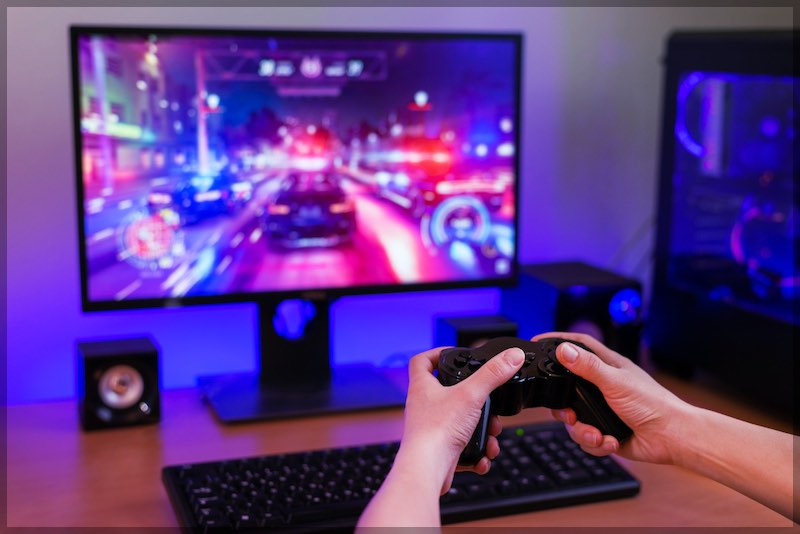
Cable internet generally delivers lower and more consistent latency and jitter than 5G home internet because the path is wired end-to-end. That steadiness matters for online gaming, cloud gaming, and video calls where reaction time and stability beat raw download speed. 5G has improved a lot and can feel solid in strong mid-band/mmWave coverage, but performance is more location- and time-of-day dependent. Signal quality, tower load, and interference can push latency higher and make jitter spiky—so two homes on the same plan can see very different results.
To judge and improve either option, use methods that test responsiveness, not just speed. Run a working/loaded-latency test (e.g., Cloudflare Speed Test) at several times of day, then verify with a 60–120 second ping to a stable host. Test over Ethernet first to remove Wi-Fi noise. On cable, enable SQM/AQM on your router and set upload/download shapers slightly below your real max to tame bufferbloat. On 5G, place the gateway by a window facing the tower, rotate for best signal, use Ethernet for gaming/calls, and consider SQM behind the gateway. If you have both available, cable is usually the safer pick for consistently low latency; 5G can be a great everyday option where coverage is strong and congestion is light.
Key Takeaways
- Cable is steadier for real-time apps. Its wired path delivers consistently lower latency and jitter, making it the safer pick for gaming, live streaming, and video calls.
- 5G home internet is more variable. Latency and jitter swing with signal quality, tower congestion, distance, and even weather—great in some spots, spiky in others.
- Use case split. Choose cable for critical, low-latency workloads; 5G is usually fine for general browsing and streaming where coverage is strong.
- Location matters most. Cable’s infrastructure is widely available and predictable; 5G performance is highly location-dependent—test at your address during peak evening hours.
The quick answer
If you have both available today, cable usually delivers lower and steadier latency and jitter than 5G home internet, especially during busy evening hours. Expect typical idle latency on cable in the low-teens to low-20s ms, while 5G fixed wireless (FWA) often lands around 40–70 ms in real world crowdsourced testing—though some locations and carriers do better. Cable also benefits from active queue management (AQM) and upcoming Low Latency DOCSIS (LLD) features that target sub-5 ms round-trip in ideal cases for latency-sensitive apps.
That said, 5G home internet keeps improving. In many markets, carriers report median 5G latency in the high-teens to low-30s ms on modern plans, with performance hinging on your local tower, spectrum (mid-band vs mmWave), signal quality, and network load. Your mileage will vary by neighborhood and time of day.
Latency and jitter, explained (for humans)
- Latency is the “there-and-back” time for a tiny message on the internet. Think of it as reaction time. Lower is better.
- Jitter is how much that reaction time wiggles from one moment to the next. Less wiggle means smoother voice, video, and gaming.
- Speed (Mbps) measures how much data you can push, not how quickly each packet reacts.
Why you notice it: a 100 Mbps line with 15 ms latency feels snappier than a 300 Mbps line with 60 ms latency and lots of jitter. Real-time apps (games, Zoom, Discord, Slack huddles, cloud gaming) are jitter-sensitive.
📖 Also Read: Seasonal Internet You Can Pause for Vacation Homes
The 2025 numbers you can expect
Cable internet (DOCSIS 3.1 today; DOCSIS 4.0 rolling out)
Across providers and plans, idle latency on cable typically lands in the ~12–24 ms range in the U.S., with low packet loss and relatively stable jitter when links aren’t saturated. During heavy use, AQM in modern DOCSIS modems helps keep latency under control.
What’s next: CableLabs’ Low Latency DOCSIS and L4S (Low-Loss Low-Latency Scalable throughput) aim to cut latency for interactive traffic dramatically—targeting sub-5 ms round trip at the 99th percentile for non-queue-building apps—by placing real-time traffic in a separate lane. You’ll see wider benefits as ISPs deploy DOCSIS 4.0/10G features.
5G home internet (FWA)
Crowdsourced analytics over the past year show 5G FWA latency commonly around ~60 ms, with speeds that can dip in the evenings under load. That average hides big local swings: some sites, spectrum bands, and devices get far better results, others worse.
Carriers also publish their own expected ranges. For example, T-Mobile lists typical 5G latency between ~17–32 ms for many plans and use cases; real-world results depend on coverage, congestion, and device.
Why the gap? 5G adds a radio hop with dynamic scheduling, interference, and cell load; traffic also traverses mobile core networks designed for huge numbers of users and often employs techniques like NAT that can affect certain workloads.
Why cable tends to be steadier
- All-wire path to your home. Coax/fiber plant avoids the air-interface variability (fading, interference) that 5G must manage.
- AQM in DOCSIS. Modern DOCSIS includes AQM that trims “bufferbloat” (excess queueing), keeping latency under load much lower than older gear. Large-scale measurements during the pandemic showed upstream latency under load dropping from hundreds of ms to ~15–30 ms with AQM enabled.
- LLD and L4S. ISPs are adding low-latency lanes so games, calls, and interactive apps bypass bulky queues. This doesn’t eat into bulk throughput for downloads—it just stops bulk traffic from sitting in front of your clicks.
Why 5G home internet can be spiky
- Radio is shared and variable. Signal strength, building materials, antenna orientation, weather, and how many neighbors are active all play a role.
- Scheduler behavior. The cell decides who talks when; even tiny changes in load can shift your latency and jitter.
- Evening crowds. Real-world data shows FWA speeds and responsiveness can dip at night as usage spikes.
- NAT and networking path. Many FWA products place users behind large-scale NAT and mobile cores; that’s fine for most browsing and streaming, but it complicates hosting, port forwarding, and sometimes peer-to-peer gaming paths—which can indirectly add delay or instability.
What this means for gaming, cloud gaming, and live calls
- Competitive gaming feels best under ~30–40 ms with low jitter; cable is more likely to deliver that consistently at home today, especially in busy periods. Many 5G homes will be fine for casual play; some do great; some struggle in primetime.
- Cloud gaming stacks extra hops (your home ↔ cloud renderer ↔ game server). It’s playable on both, but jitter spikes show up as stutter. Stable 20–40 ms beats faster Mbps every time here.
- Video calls & VoIP mainly need steady latency with minimal jitter and packet loss. Either tech can do it; steadiness is where cable often wins.
📖 Also Read: Internet for Airbnb Hosts: Plans, Guest Wi-Fi & Cost Control
How to measure latency and jitter the smart way
Most “speed tests” chase big download numbers and barely touch responsiveness. Use tools that measure latency under load (how your line behaves while it’s busy), since that’s what you feel during real use.
- Cloudflare Speed Test shows unloaded and loaded latency (“working latency”) and jitter; it runs on a massive global edge so you get meaningful results. Run it a few times: idle, during a download, and during an upload.
- Classic ping still helps. Ping a stable host (e.g., a DNS resolver) for 60–120 seconds. Watch the average and the max. Big swings = jitter.
- Run tests at different hours. If your 5G link is great at noon but drifts at 8 p.m., you’ll see it.
- Separate Wi-Fi from WAN. Test over Ethernet first so Wi-Fi doesn’t mask WAN latency.
Tip: If loaded latency jumps way up the moment you start a big download or upload, you’re seeing bufferbloat. Your link is fast, but queues fill, and real-time traffic waits. AQM, SQM, and L4S-aware gear help.
How to lower latency & jitter on cable
Tidy your queueing.
Use a router that supports SQM/AQM (e.g., fq_codel/cake). Set upload/download shapers a touch below your real max so the router—not your modem—controls queues. ISPs have shown dramatic latency-under-load improvements when AQM is active.
Wire it up where it matters.
For gaming PCs and consoles, Ethernet beats Wi-Fi. If you can’t run a cable, use Wi-Fi 6/6E with strong signal, or MoCA/Powerline as a bridge.
Mind the modem.
If your ISP offers a newer DOCSIS 3.1+ gateway with AQM enabled, take it. As DOCSIS 4.0/10G and LLD/L4S arrive in your area, consider upgrading to tap the lower latency lanes.
Keep your upstream clean.
Uploads hurt latency more than downloads. If someone is backing up photos or streaming out, SQM keeps calls playable.
How to lower latency & jitter on 5G home internet
Get the best signal you can.
Your RSRP/SINR (signal strength/quality) directly affects scheduling and latency. Place the gateway by a window facing the tower, tilt/rotate slowly while watching live signal metrics. Small moves can shave jitter.
Try the right band/site.
If your gateway allows a tower/band refresh (reboot or release/renew) or band lock, test different times and placements. Mid-band (e.g., n41/n77) usually beats low-band for latency; mmWave can be stellar if available.
Use Ethernet for gaming/calls.
Remove Wi-Fi from the equation. Plug consoles/PCs directly into the 5G gateway or your own router.
Tame bufferbloat.
Put an SQM-capable router behind the 5G gateway and enable shaping a hair below your observed max. This keeps upload bursts from wrecking call/gaming latency.
Know the NAT story.
Many FWA plans sit behind CGNAT, which prevents classic port forwarding and can complicate peer connections. If you must host or need Open NAT, ask your provider about a public/static IP option, or use reverse tunnels/relays for the one service that needs inbound traffic.
Evening slowdowns and “consistency”
Consistency matters more than headline speed. Recent analyses found 5G FWA latency staying roughly the same (around ~60 ms median) while speeds can dip during evening peaks—the consistency of response is what you feel in games and calls. Cable in a well-provisioned area usually keeps tighter latency/jitter in primetime.
Opensignal’s reliability work also shows how FWA trails fiber/cable for consistent quality in many big metros, even as it closes the gap in speed. Check local results if you’re in a competitive market.
📖 Also Read: Internet for Cloud Gaming: Smooth Play on GeForce Now & Xbox Cloud
What about the future? DOCSIS 4.0, LLD & L4S
Cable’s roadmap includes Low Latency DOCSIS and L4S support across modems and headends, giving latency-sensitive flows their own “express lane.” Targets of sub-5 ms RTT at the 99th percentile for the right kinds of traffic are ambitious but real; field work already shows big gains when these techniques are applied. Expect broader availability through 2025–2026 as 10G rollouts expand.
5G is evolving, too. Wider mid-band, smarter schedulers, SA cores, and (where present) mmWave all help. Carriers publish 17–32 ms typical latency ranges for many 5G scenarios, and some sites hit those numbers—just remember these are best-case medians that depend on your tower and load.
Decision guide: which should you pick for low latency & low jitter?
- Pick cable if: you can get a modern DOCSIS plan with decent upstream, you game or use real-time apps at night, and you want the most consistent responsiveness. Add SQM/AQM on your router for bonus smoothness.
- Pick 5G home internet if: cable is expensive or unavailable, your local 5G site is strong and lightly loaded, or you value no-contract and easy install. Test at your address during the hours you actually play or call.
- Hybrid: keep 5G as a backup or daytime line, and cable as the evening latency workhorse. Many routers can failover automatically.
Troubleshooting checklist (quick wins)
- Move the 5G gateway and rotate it slowly to maximize signal quality.
- Use Ethernet for any latency-sensitive device.
- Turn on SQM/AQM in your router and cap uploads slightly below your real max.
- Run Cloudflare Speed Test at busy times to confirm loaded latency gains.
FAQs
Is 5G home internet better than cable for gaming?
Usually no. Cable’s wired path delivers steadier latency and lower jitter, which matters more than raw Mbps for competitive play. A strong, lightly loaded 5G cell can feel great, but performance can swing at night. If both are available, cable is the safer pick for consistent ping.
What is the latency of 5G vs Ethernet?
Ethernet isn’t an internet service—it’s the wired link from your device to the router. Using Ethernet removes Wi-Fi delay, so you see the true WAN latency. On a typical cable line, that’s often in the teens to low-20s ms to a nearby server; on 5G home internet, it’s often higher and less consistent (commonly 30–60+ ms). Your local network, time of day, and distance to servers all affect results.
Does 5G have better latency?
Sometimes, but not reliably. Near a strong mid-band or mmWave site with light load, 5G can post low pings. However, radio conditions and cell congestion introduce jitter. Cable/fiber usually hold lower and steadier latency across the day.
How does 5G internet compare to cable internet?
5G is wireless and quick to set up, with no trenching and often no contracts. Cable is wired and more predictable for real-time apps. 5G can be great for browsing and streaming and as a backup; cable generally wins for gaming, live calls, and uploads that need steady responsiveness.
What are the negatives of 5G home internet?
Performance varies by signal quality and tower load; latency/jitter can spike at peak hours. Many plans use CGNAT, so classic port forwarding and “Open NAT” can be tricky. Indoor placement matters, weather can affect signal, and some plans have data management policies that may slow heavy users.
Should I use 5G or 2.4G for gaming?
You’re likely asking about Wi-Fi 5 GHz vs 2.4 GHz (not 5G cellular). Use 5 GHz Wi-Fi for lower interference and latency if you’re within range; use 2.4 GHz only when you’re far from the router and need reach. For the best ping, skip Wi-Fi entirely and plug in with Ethernet.